WordPress Brute Force Attacks: How They Work and How to Stop Them

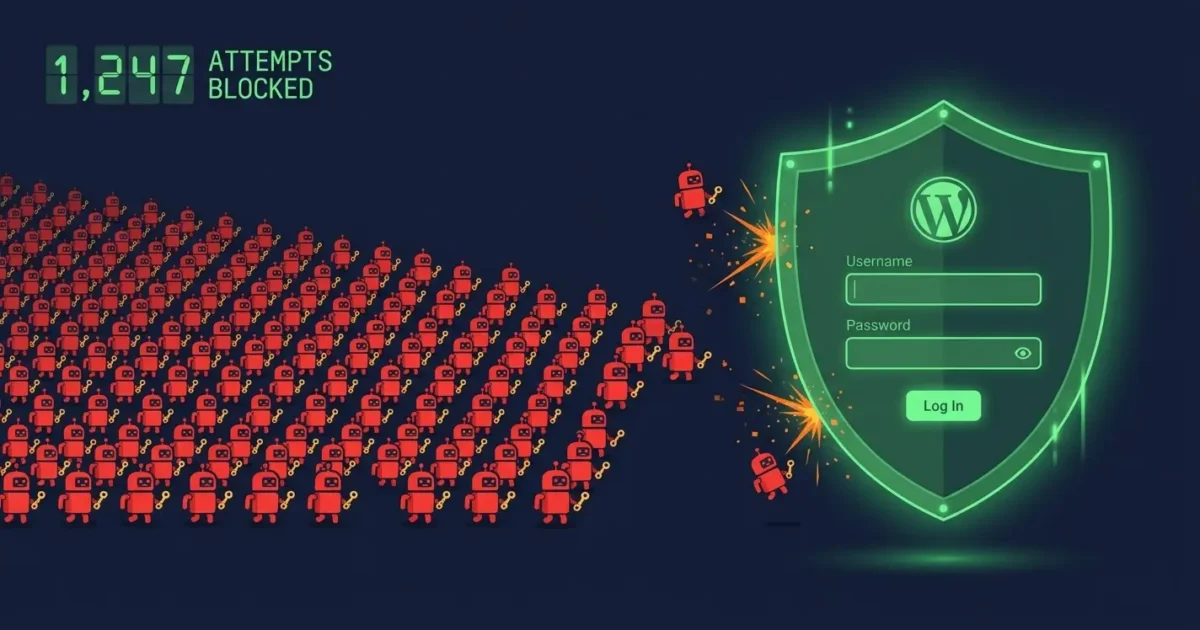
Wordfence blocks over 6.4 billion brute force attacks against WordPress sites every single month. That figure sounds extraordinary until you understand how these attacks work, at which point it makes complete sense. Brute force attacks are cheap to run, fully automated, and require almost no technical skill. Any attacker with a basic script and a list of common passwords can target millions of WordPress sites simultaneously.
The good news is that brute force attacks are also among the easiest threats to defend against, provided you take the right steps before an attack happens rather than after.
What Is a WordPress Brute Force Attack?
A brute force attack is when an automated script repeatedly tries to log into your WordPress admin by cycling through thousands of username and password combinations until it finds one that works. The script does not guess randomly. Instead, it works through lists of the most commonly used passwords, known leaked credentials from other data breaches, and variations of your domain name and business name.
The attack targets your WordPress login page directly at wp-login.php. By default, WordPress places no limit on how many login attempts someone can make, which means a script can try thousands of combinations per minute without any restriction.
Why WordPress Sites Are Targeted at Scale
WordPress powers around 43% of all websites on the internet. For an attacker, that means a single automated script targeting wp-login.php can probe an enormous number of sites without any customisation. The script does not care who you are or what your site does. It simply scans IP ranges, finds sites running WordPress, and starts cycling through credential lists.
Furthermore, credential stuffing makes the problem worse. Every major data breach releases millions of username and password combinations onto criminal marketplaces. Many people reuse passwords across multiple accounts, so a password exposed in a breach on an unrelated site could be the same one protecting your WordPress admin. Attackers cross-reference these lists with discovered WordPress sites automatically.
What Happens If the Attack Succeeds
A successful brute force attack gives the attacker full administrator access to your WordPress site. From that point, they can install malware, create backdoors, redirect your visitors, steal customer data, send spam from your domain, or sell access to your site to other criminals. In most cases, the compromise is not immediately visible, meaning the attacker quietly exploits your site for weeks or months before anyone notices.
How to Tell If Your Site Is Under Brute Force Attack
Several signs suggest an ongoing brute force attack against your site:
- Unusually high server CPU usage with no clear cause
- Your site becomes slow or unresponsive around the same times each day
- Your hosting provider sends alerts about unusual traffic
- Wordfence or another security plugin logs thousands of failed login attempts
- Your server error logs show repeated POST requests to
wp-login.php
Brute force attacks consume server resources even when they fail, since WordPress has to process each login attempt. A sustained attack can therefore slow or crash your site even without ever gaining access.
7 Steps to Stop WordPress Brute Force Attacks
1. Enable Two-Factor Authentication
Two-factor authentication is the single most effective defence against brute force attacks. Even if an attacker correctly guesses your password, they cannot log in without the second factor, which is typically a time-sensitive code from an authenticator app on your phone. Install WP 2FA or a similar plugin and enable it for all administrator accounts immediately.
2. Limit Login Attempts
WordPress allows unlimited login attempts by default. Installing a login limiting plugin such as Limit Login Attempts Reloaded stops this immediately. After a set number of failed attempts, typically three to five, the plugin locks that IP address out for a defined period. This makes brute force attacks impractically slow, since the attacker can only try a handful of passwords before being blocked.
3. Change Your Admin Username
Brute force scripts always try the username “admin” first, since it remains the default on many WordPress installations. If your admin account uses “admin” as the username, you are giving attackers half the answer before they start. Create a new administrator account with a unique username, log in as that user, then delete the original “admin” account.
4. Use a Strong, Unique Password
A 16-character random password generated by a password manager is practically immune to brute force attack. Short passwords based on words, names, or keyboard patterns are vulnerable within minutes. Use a password manager such as Bitwarden or 1Password to generate and store a strong password for your WordPress admin account specifically.
5. Install a Web Application Firewall
A Web Application Firewall blocks malicious traffic before it reaches your WordPress login page. Wordfence’s free WAF provides solid protection at the plugin level. Cloudflare’s free plan adds network-level protection on top. Together, they intercept most automated brute force traffic before it ever generates a login attempt that WordPress has to process.
6. Disable XML-RPC
XML-RPC is an older WordPress API that attackers use to launch brute force attacks at a much higher volume than the standard login page allows. A single XML-RPC request can test hundreds of password combinations at once, bypassing login attempt limits entirely. Unless you specifically need XML-RPC for a legitimate purpose such as the Jetpack plugin, block it by adding this to your .htaccess file:
<Files xmlrpc.php> Order Deny,Allow Deny from all </Files>7. Block Suspicious IP Ranges at Server Level
If Wordfence or your server logs show repeated attacks from specific IP addresses or geographic regions you do not serve, block them at the server or Cloudflare level rather than at the WordPress level. This stops the attack consuming server resources entirely, since blocked requests never reach WordPress at all.
What If the Attack Already Succeeded?
If you have discovered a brute force attack succeeded and an attacker gained admin access, do not simply change your password and assume the problem is resolved. An attacker with admin access to your site will typically install backdoors, create additional admin accounts, and inject malware across your files and database before you notice. Changing the password removes their obvious access point but leaves everything else intact.
A successful brute force attack requires a full malware cleanup, not just a password reset. Check our 10 warning signs your WordPress site has been hacked to assess the extent of the damage, and our malware removal guide for the full cleanup process. If you would rather have a professional handle it, our emergency help service covers exactly this situation at a fixed, transparent price with a no-fix no-fee guarantee. You can also run a free security scan first to see what is currently on your site.
We Fix Hacked WordPress Sites
Fixed £495. No-fix no-fee. Response in under 2 hours — worldwide.
Get Emergency Help NowRelated Articles

How to Install WordPress Correctly and Securely (2026 Step-by-Step Guide)
Most guides on how to install WordPress stop at the point where the site is live. That is…

WordPress Security Hardening: 15 Steps That Actually Make a Difference
There’s no shortage of WordPress security guides online. Most of them are padded out with vague advice like…