What Is WordPress 7.0 and Should You Update? (Security Guide)

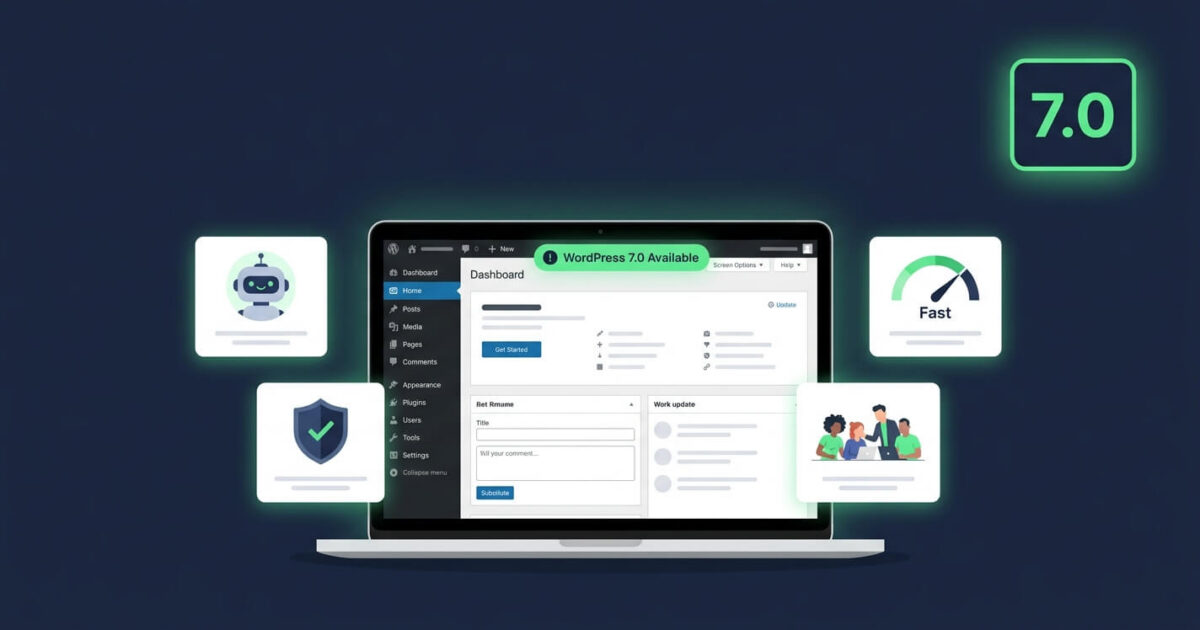
WordPress 7.0 “Armstrong” launched on May 20, 2026, and it is the most significant WordPress release since the block editor arrived in 2018. It introduces native AI tools, a redesigned admin dashboard, improved editorial workflows, and performance improvements that make sites noticeably faster. It also includes important security patches that every site owner needs.
What Is WordPress 7.0?
WordPress 7.0, codenamed “Armstrong,” is the major WordPress core release from May 2026. It formalises Phase 3 of the Gutenberg project and introduces native AI infrastructure, a modernised admin interface, new editorial collaboration tools, two new core blocks, and significant performance improvements including 18% faster page load times.
What Are the New Features in WordPress 7.0?
WordPress 7.0 ships six categories of improvement. Here is what changed in each area:
Native AI Integration
WordPress 7.0 introduces a provider-agnostic AI Client directly into core. This means WordPress can connect to external AI tools including OpenAI, Google Gemini, and Anthropic without requiring a separate plugin for each one. A new Connectors dashboard under Settings lets administrators manage all AI connections in one place.
Redesigned Admin Dashboard
The WordPress admin received its first significant visual update in over a decade. The new interface uses standardised form elements, buttons, and UI patterns throughout, making the dashboard feel more consistent and modern. DataViews replaces the classic list tables for managing posts, pages, and other content types.
Improved Editorial Collaboration
WordPress 7.0 adds email notifications to the Notes system introduced in 6.9, plus a new Suggestions mode that allows reviewers to propose changes without directly editing content. Note: real-time co-editing was removed from the 7.0 release on May 8, 2026, due to stability concerns. It remains planned for a future version.
New Core Blocks and Font Library
Two new blocks ship with 7.0: a Breadcrumbs block and an Icons block. The Font Library has been extended to work with all theme types, not just block themes, allowing administrators to manage custom fonts from the dashboard without a plugin.
Performance Improvements
WordPress 7.0 moves media processing to the user’s browser using modern web APIs, reducing server load significantly. Combined with other core optimisations, sites running 7.0 show around 18% faster load times compared to WordPress 6.x. Faster sites rank better in Google and convert more visitors.
PHP-Only Blocks for Developers
Developers can now register blocks using PHP alone, without writing any React or JavaScript. This lowers the technical barrier for creating custom blocks and reduces the JavaScript overhead on sites with many custom blocks.
Should You Update to WordPress 7.0?
Yes, you should update to WordPress 7.0. Every major WordPress release includes security patches that fix vulnerabilities discovered in older versions. Sites running outdated WordPress versions are actively targeted by automated scanners that probe for known weaknesses. The current stable release is WordPress 7.1.1, released September 17, 2026.
Is WordPress 7.0 Safe to Update To?
WordPress 7.0 is safe to update to, provided you take the correct preparation steps first. The core release has been publicly available since May 2026 and is now on version 7.1.1, meaning several months of community testing and patch releases have already resolved early issues. The main risk is not WordPress itself, but plugin and theme compatibility.
How to Update to WordPress 7.0 Safely
Follow these steps before updating to avoid any site-breaking issues:
- Back up your site completely — files and database, stored off-server, before touching anything
- Update plugins and themes first — check each plugin’s compatibility with WordPress 7.0 in the plugin’s WordPress.org changelog
- Test on a staging site if possible — most managed WordPress hosts offer one-click staging environments
- Deactivate any plugins not updated in 12 months — outdated plugins are both a compatibility risk and a security risk
- Run the WordPress update — Dashboard → Updates → Update Now
- Check your site immediately after — visit your homepage, contact form, and checkout if you run WooCommerce
What Are the Security Risks of Not Updating to WordPress 7.0?
Not updating WordPress creates serious security exposure. WordPress 7.0 includes patches for vulnerabilities found in WordPress 6.x. Once those patches are public, attackers immediately start targeting sites still running older versions. Additionally, WordPress 7.0 requires PHP 8.2 or higher and recommends PHP 8.3. Sites running older PHP versions face separate security risks from unpatched PHP vulnerabilities that will never receive fixes.
What PHP Version Does WordPress 7.0 Require?
WordPress 7.0 requires PHP 7.4 as the minimum but strongly recommends PHP 8.2 or PHP 8.3 for security and performance reasons. PHP 7.x reached end-of-life in December 2022, meaning it no longer receives security patches. If your site still runs PHP 7.x, contact your hosting provider to upgrade your PHP version before or alongside your WordPress update.
What Happened to Real-Time Collaboration in WordPress 7.0?
Real-time collaboration, which would allow multiple users to edit the same post simultaneously like Google Docs, was removed from the WordPress 7.0 release on May 8, 2026, twelve days before launch. The core team cited stability concerns including race conditions and unpredictable server load. The feature remains available to test in the Gutenberg plugin and is planned for a future WordPress release.
My Site Was Hacked After a WordPress Update. What Should I Do?
If your site was compromised around the time of a WordPress update, the update itself is almost certainly not the cause. Updates close vulnerabilities rather than create them. The more likely explanation is that your site was already compromised before the update, or that an outdated plugin introduced a vulnerability independently of the WordPress core update. Run a free security scan to check your current status, or contact our emergency team if your site is actively showing signs of compromise.
Frequently Asked Questions About WordPress 7.0
What is WordPress 7.0?
WordPress 7.0, codenamed Armstrong, is the major WordPress release from May 20, 2026. It introduces native AI integration, a redesigned admin dashboard, improved editorial collaboration tools, two new core blocks, and 18% faster performance compared to WordPress 6.x.
When was WordPress 7.0 released?
WordPress 7.0 was officially released on May 20, 2026. The latest stable version is WordPress 7.1.1, released September 17, 2026.
Should I update to WordPress 7.0?
Yes. WordPress 7.0 includes important security patches for vulnerabilities found in WordPress 6.x. Always back up your site and check plugin compatibility before updating.
What PHP version does WordPress 7.0 need?
WordPress 7.0 requires a minimum of PHP 7.4 but recommends PHP 8.2 or 8.3. PHP 7.x is end-of-life and no longer receives security updates, so upgrading PHP alongside WordPress is strongly advised.
Does WordPress 7.0 have real-time collaboration?
No. Real-time collaboration was removed from the 7.0 release on May 8, 2026, due to stability concerns. It is planned for a future release and can be tested via the Gutenberg plugin.
Is WordPress 7.0 faster than 6.x?
Yes. WordPress 7.0 delivers approximately 18% faster page load times compared to WordPress 6.x, primarily through browser-side media processing and core optimisations.
We Fix Hacked WordPress Sites
Fixed £495. No-fix no-fee. Response in under 2 hours — worldwide.
Get Emergency Help NowRelated Articles
WordPress 7.1.3: What the Security Update Fixes and Why You Need to Update Now
WordPress 7.1.3 was released on 6 October 2026. It is a security and maintenance release that patches seven…

WordPress Core Update Vulnerability Actively Exploited 2026: What Every Site Owner Must Do Today
The WordPress core update vulnerability actively exploited 2026 is tracked as CVE-2026-119977. The US Cybersecurity and Infrastructure Security…
Why Premium WordPress Themes Are Hurting Your Website
You found a beautiful WordPress theme on ThemeForest. The demo looked incredible smooth animations, a dozen layout options,…