What Is WordPress MCP and Should You Use It?

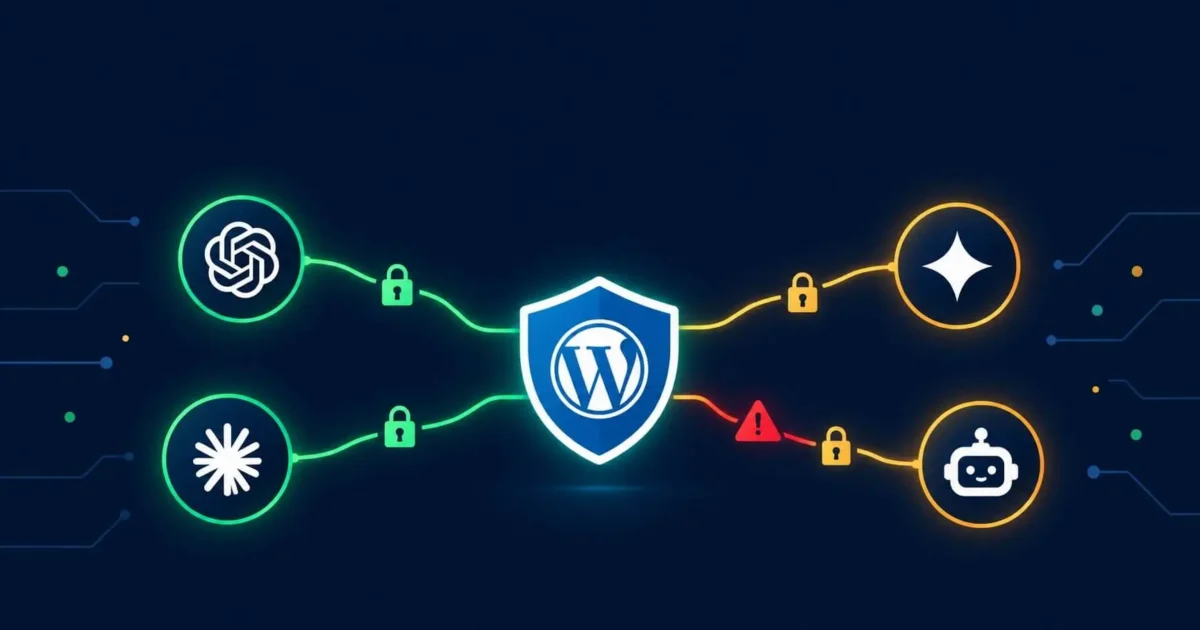
WordPress MCP is one of the most talked-about new developments in the WordPress ecosystem in 2026, yet most site owners have no idea what it is, whether they should care, or whether enabling it creates security risks for their site. This guide answers all three questions in plain English.
What Is WordPress MCP?
WordPress MCP stands for WordPress Model Context Protocol. MCP is an open standard, originally created by Anthropic in November 2024, that allows AI tools and agents to connect to external systems including websites, databases, and applications through a consistent interface. In February 2026, WordPress introduced an official WordPress MCP Adapter that lets AI assistants connect directly to a WordPress site and perform actions on it.
What Does WordPress MCP Actually Do?
When you enable WordPress MCP on your site, you allow an AI assistant such as Claude, ChatGPT, or a custom AI agent to connect to your WordPress installation and carry out tasks directly. Instead of telling an AI what to write and then copying the content into WordPress yourself, the AI can create the post, set the category, add tags, and save it as a draft without you leaving the AI tool at all.
Specifically, WordPress MCP exposes your site’s capabilities as a list of tools the AI can discover and use. Those tools can include reading post content, creating or editing posts, managing media, changing settings, and other administrative actions depending on how broadly you configure the access.
How Do You Enable WordPress MCP?
The setup method depends on how your WordPress site is hosted:
- WordPress.com hosted sites support MCP through OAuth 2.1 natively. You authorise the connection through your browser and no additional plugin is needed.
- Self-hosted WordPress sites require installing an MCP adapter plugin. Once installed, the plugin registers your site’s capabilities with any AI tool you connect it to.
Several third-party MCP adapter plugins also exist in the WordPress plugin directory, each offering slightly different scopes of access and configuration options.
What Are the Security Risks of WordPress MCP?
This is where most guides on WordPress MCP stop short. The honest answer is that MCP introduces genuine new security risks, and the scale of those risks has been confirmed by both independent researchers and the United States National Security Agency, which published official security guidance on MCP in May 2026.
Between January and April 2026, security researchers disclosed more than 40 CVEs across MCP implementations. An April 2026 advisory assessed around 200,000 MCP servers as vulnerable. One vulnerability, CVE-2025-6514, scored 9.6 out of 10 on the severity scale and affected over 437,000 downloaded environments before disclosure. A separate vulnerability specifically in WordPress MCP implementations affected over 100,000 sites through privilege escalation.
Prompt Injection
The most serious WordPress-specific risk is prompt injection. If your site has comment sections, contact forms, or any user-submitted content, an attacker can plant hidden instructions inside that content. When your AI agent reads your site through MCP, it may interpret those instructions as commands, causing it to take actions you never intended, such as publishing content, changing settings, or exfiltrating data.
Over-Permissioned Access Tokens
Most MCP setups use long-lived API tokens or access keys to authenticate the AI connection. If those tokens are scoped too broadly, an AI agent can do anything an administrator can do. If the token is stolen through a separate vulnerability, an attacker gains full administrative access to your site through it.
Unvetted Third-Party MCP Servers
MCP servers are commonly downloaded from third-party repositories without verification. Malicious packages masquerading as legitimate MCP tools have already appeared in public repositories. Installing an unofficial or poorly maintained MCP adapter plugin carries the same risk as any other unvetted plugin, but with significantly broader access to your site once connected.
No Audit Trail by Default
Standard MCP implementations do not log what the AI agent did, when it did it, or why. Without an audit trail, you cannot easily detect if an AI agent has taken unintended actions on your site, or investigate what happened after an incident.
Should You Enable WordPress MCP on Your Site?
The honest answer depends on your situation. WordPress MCP offers real productivity benefits for developers and content teams who use AI tools regularly. However, it requires careful configuration to be used safely. For most small business site owners who do not actively work with AI agents, the productivity benefit does not currently outweigh the additional attack surface it introduces.
When WordPress MCP is worth considering:
- You actively use AI tools for content creation and want to streamline your workflow
- You are a developer building AI-assisted features into a WordPress site
- You are comfortable configuring scoped access tokens and reviewing agent actions before they publish
When to leave WordPress MCP disabled:
- Your site has user-submitted content (comments, forms, reviews) that could be used for prompt injection
- You store customer data or run an online shop, meaning a breach has real commercial consequences
- You cannot commit time to properly scoping permissions and reviewing agent activity
- Your plugins and theme are already out of date, meaning your site has existing vulnerabilities that MCP would compound
How to Use WordPress MCP Securely If You Do Enable It
If you decide to enable MCP, these steps meaningfully reduce your exposure:
- Scope access tokens tightly — grant the AI agent only the permissions it genuinely needs. If it only creates content, it does not need delete access or settings access.
- Force all AI-created content to draft status — never allow the AI agent to publish directly. A human review step before publication prevents unintended or injected content from going live.
- Disable tools you do not use — if the MCP adapter offers delete functionality, file management, or settings access you do not need, disable those tools in the configuration.
- Install only the official WordPress MCP Adapter — avoid third-party MCP plugins from unknown developers. The official adapter from the WordPress core team is the safest starting point.
- Enable logging — configure your MCP adapter to log all agent actions so you can review and audit what the AI has done on your site.
- Rotate access tokens regularly — treat MCP tokens like passwords. Rotate them periodically and revoke them immediately if you suspect any compromise.
WordPress MCP and Site Security
It is worth emphasising that a site with existing security weaknesses becomes significantly more exposed when MCP is added. An outdated plugin, a weak admin password, or an existing backdoor from a previous hack all become more dangerous when an AI agent with broad permissions is also connected to the site.
If you are considering enabling MCP, running a free security scan first is a sensible precaution. If your site has been compromised previously and was not fully cleaned, those residual backdoors could be exploited through an MCP connection before you ever notice. Our security services include a full site audit that checks for exactly these kinds of pre-existing vulnerabilities before you add new access layers.
Frequently Asked Questions About WordPress MCP
What is WordPress MCP?
WordPress MCP (Model Context Protocol) is a standard that allows AI tools to connect directly to a WordPress site and perform actions such as creating posts, managing media, and changing settings. WordPress introduced an official MCP Adapter in February 2026.
Is WordPress MCP safe?
WordPress MCP can be safe when configured correctly, with tightly scoped access tokens, content review steps before publishing, and logging enabled. It becomes risky when broad permissions are granted, unvetted third-party MCP plugins are used, or the underlying site already has security weaknesses.
Does WordPress MCP work with Claude or ChatGPT?
Yes. WordPress MCP works with any MCP-compatible AI tool including Claude, ChatGPT, and custom AI agents. WordPress.com uses OAuth 2.1 for the connection. Self-hosted WordPress requires an MCP adapter plugin.
Can WordPress MCP get my site hacked?
Yes, if configured incorrectly. Over 100,000 WordPress sites were affected by a privilege escalation vulnerability in MCP implementations in 2026. Main risks include prompt injection from user content, stolen access tokens, and malicious third-party MCP plugins.
Do I need WordPress MCP?
Most small business site owners do not need WordPress MCP. It benefits developers and content teams who actively use AI tools daily. For other sites, the added attack surface is not currently worth the productivity gain.
We Fix Hacked WordPress Sites
Fixed £495. No-fix no-fee. Response in under 2 hours — worldwide.
Get Emergency Help NowRelated Articles

WordPress Plugin Vulnerabilities: Why 91% of Sites Get Hacked
Here is a number that should concern every WordPress site owner: 91. That is the percentage of WordPress…
Why Premium WordPress Themes Are Hurting Your Website
You found a beautiful WordPress theme on ThemeForest. The demo looked incredible smooth animations, a dozen layout options,…
What Is WordPress 7.0 and Should You Update? (Security Guide)
WordPress 7.0 “Armstrong” launched on May 20, 2026, and it is the most significant WordPress release since the…