WordPress Plugin Vulnerabilities: Why 91% of Sites Get Hacked

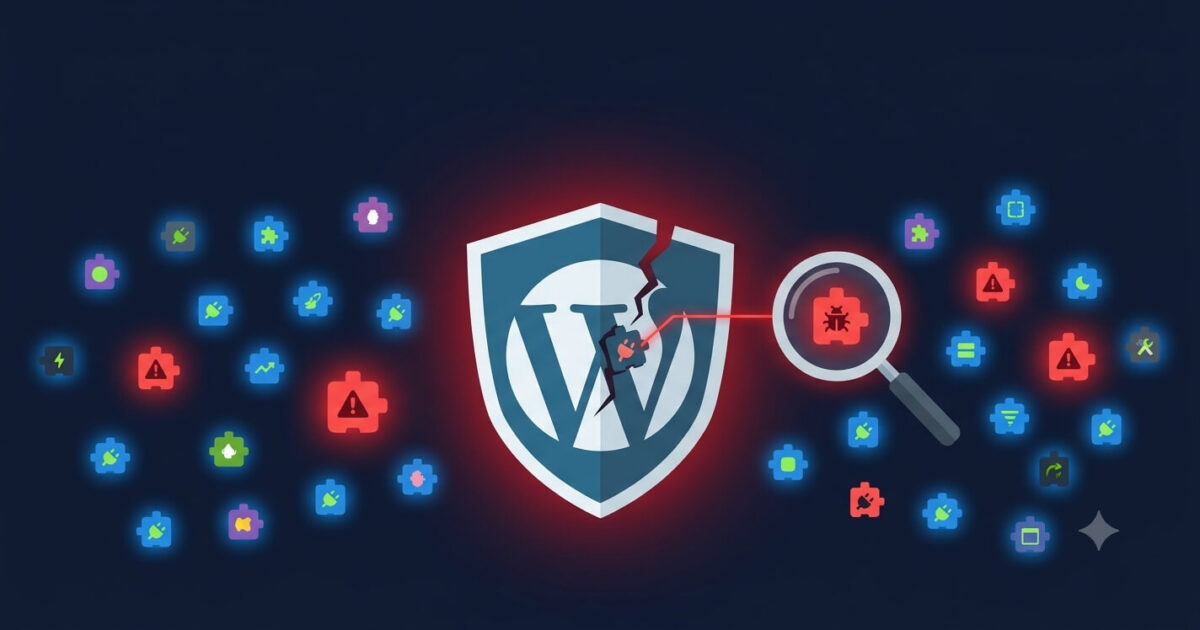
Here is a number that should concern every WordPress site owner: 91. That is the percentage of WordPress vulnerabilities in 2025 that came from plugins, according to Patchstack’s 2026 State of WordPress Security report. Not from hackers guessing passwords. Not from outdated WordPress core. From plugins the same plugins sitting in your dashboard right now.
Furthermore, those vulnerabilities are not slow to exploit. Patchstack found that attackers launch exploits within five hours of a vulnerability being publicly disclosed. That means the window between “patch released” and “your site under attack” is smaller than a working day.
What Is a WordPress Plugin Vulnerability?
A plugin vulnerability is a flaw in a plugin’s code that allows an attacker to do something they should not be able to do upload a malicious file, execute code on your server, steal data from your database, or take over your admin account.
Most vulnerabilities fall into a handful of categories:
- Cross-Site Scripting (XSS) — attackers inject malicious scripts into your pages that run in visitors’ browsers, stealing session cookies or redirecting users to malicious sites
- SQL Injection — attackers send crafted database queries through a vulnerable plugin input, extracting or modifying your database directly
- Remote Code Execution (RCE) — the most severe type, allowing attackers to run arbitrary commands on your server
- Broken Access Controls — flaws that allow unauthenticated users to perform admin actions, like deleting content or changing settings
- File Upload Vulnerabilities — flaws that allow attackers to upload PHP files disguised as images or documents, then execute them as backdoors
Why Plugins Are Such a Rich Target
WordPress core is developed by a large, well-resourced team with rigorous security review processes. In 2025, only six vulnerabilities were discovered in WordPress core itself. Plugins, however, are developed by thousands of individual developers with varying levels of security expertise and resource.
In the same year, researchers discovered 11,334 vulnerabilities across the plugin and theme ecosystem a 42% increase year on year. Additionally, 46% of those vulnerabilities had no developer patch when first disclosed. That means nearly half of known plugin flaws had no fix available the moment attackers started looking for sites to exploit.
The scale of the problem compounds further when you consider how many plugins the average WordPress site runs. Most sites carry between 15 and 30 active plugins. Each one represents a potential entry point. Even a single outdated plugin with a known vulnerability is enough for an attacker to gain full control of your server.
The Danger of Plugins You Are Not Using
Inactive plugins are particularly dangerous. Many site owners deactivate plugins they no longer need but leave them installed “just in case.” However, a deactivated plugin still sits on your server with its code fully intact and its vulnerabilities fully exploitable. WordPress does not apply updates to inactive plugins, so they quietly fall further and further behind while attackers actively scan for their known weaknesses.
The same applies to inactive themes. In practice, therefore, the safest approach is to delete every plugin and theme you are not actively using — not simply deactivate them.
How Attackers Find Vulnerable Plugins at Scale
Attackers do not manually check individual sites. Instead, they use automated scanners that probe millions of WordPress sites simultaneously, checking for specific plugin fingerprints and version numbers. When a vulnerability is published in a security database, these automated tools immediately begin targeting every site running an unpatched version.
In July 2026, researchers exposed a hacking operation called WP-SHELLSTORM that had backdoored over 17,000 WordPress sites by targeting a single vulnerability in one caching plugin. The entire operation ran automatically, with bots identifying and compromising sites faster than any human team could patch them. This is the reality of modern WordPress security not targeted attacks, but industrial-scale opportunistic exploitation.
How to Check Your Plugins for Known Vulnerabilities
There are several practical ways to assess your current exposure:
1. Run a Free Security Scan
Our free WordPress security scan checks your installed plugins against known vulnerability databases and flags any with unpatched security issues. It takes under two minutes and requires no account or login.
2. Use the WPScan Vulnerability Database
WPScan maintains a public database of known WordPress plugin vulnerabilities at wpscan.com/plugins. Search for any plugin by name to see its full vulnerability history and check whether your installed version is affected.
3. Install Wordfence and Run a Full Scan
Wordfence’s free version includes a plugin vulnerability scanner that cross-references your installed plugins against its threat intelligence database. Run a full scan and review the results paying particular attention to any plugins flagged as having known vulnerabilities.
4. Audit Your Plugin List Manually
Go to WordPress Admin → Plugins → Installed Plugins. For every plugin in the list, ask:
- When was it last updated? (visible in the list view) — anything over 12 months without an update is a risk
- Is it still actively maintained? (check the plugin’s WordPress.org page)
- How many active installations does it have? — smaller, obscure plugins are lower priority targets for security research but also for fixes
- Do you still actually use it? — if not, delete it
The Most Dangerous Plugin Categories
Not all plugins carry equal risk. Based on historical vulnerability data, certain categories consistently produce high-severity flaws:
- Page builders (Elementor, WPBakery, Divi Builder) — complex codebases with large attack surfaces
- File management plugins — anything that handles file uploads or direct server file access
- Form plugins — particularly those that handle file attachments
- Backup plugins — often given high server permissions that attackers can leverage
- SEO plugins — large, widely installed plugins that are high-value targets
- Membership and LMS plugins — complex user permission systems are difficult to secure correctly
This does not mean these categories of plugins are inherently unsafe it means they warrant closer attention and faster updating when patches are released.
What to Do If a Plugin on Your Site Has a Known Vulnerability
The immediate priority depends on whether a patch is available.
If an update is available: Update immediately. Do not wait for your scheduled maintenance window. A known, unpatched vulnerability is an active target.
If no update is available: Deactivate and delete the plugin until a fix is released. The functionality it provides is never worth the risk of a full site compromise. Find an alternative plugin in the interim if the feature is essential.
If you think your site has already been compromised through a plugin: Do not simply update the plugin and assume the problem is solved. An attacker who exploited a vulnerability before you patched it almost certainly left backdoors behind. Updating closes the entry point but leaves the attacker’s installed access intact. A full malware scan and cleanup is necessary.
Reducing Your Plugin Attack Surface Going Forward
Beyond keeping plugins updated, these practices meaningfully reduce your exposure:
- Fewer plugins means fewer vulnerabilities — audit your plugin list quarterly and remove anything you do not actively use
- Choose plugins with a strong update history — regular updates signal an active developer who takes security seriously
- Enable automatic updates for trusted plugins — WordPress allows you to enable auto-updates per plugin under the plugins list
- Use a Web Application Firewall (WAF) — a good WAF can block exploit attempts even against unpatched vulnerabilities, giving you a buffer while patches are released
- Monitor for vulnerability disclosures — subscribe to the Wordfence or Patchstack vulnerability feed so you hear about new plugin flaws as they are published
Already Hacked Through a Plugin Vulnerability?
If your site has been compromised through a vulnerable plugin, updating the plugin alone will not fix the problem. Attackers typically install backdoors, create rogue admin accounts, and inject code across multiple files all of which survive a plugin update.
A proper cleanup requires finding and removing every infected file, cleaning the database, identifying and closing all backdoors, and hardening the site against re-entry. Our WordPress security service covers the full process at a fixed, transparent price with a no-fix, no-fee guarantee. If you are not sure whether your site has been compromised, run a free scan first. If you already know it has, contact our team directly we respond within 2 hours.
We Fix Hacked WordPress Sites
Fixed £495. No-fix no-fee. Response in under 2 hours — worldwide.
Get Emergency Help NowRelated Articles
What Is WordPress MCP and Should You Use It?
WordPress MCP is one of the most talked-about new developments in the WordPress ecosystem in 2026, yet most…
WordPress 7.1.3: What the Security Update Fixes and Why You Need to Update Now
WordPress 7.1.3 was released on 6 October 2026. It is a security and maintenance release that patches seven…
What Is WordPress 7.0 and Should You Update? (Security Guide)
WordPress 7.0 “Armstrong” launched on May 20, 2026, and it is the most significant WordPress release since the…