WordPress Site Hacked? Do This in the Next 30 Minutes


You’ve just found out your WordPress site has been hacked. Your heart is racing. You don’t know what to do first. Should you delete everything? Contact your host? Restore a backup?
Take a breath. Panicking and making rushed decisions causes more damage than the hack itself in many cases we’ve seen. Here’s exactly what to do in your first 30 minutes.
Minute 1–5: Confirm It’s Actually a Hack
Before you do anything, make sure you’re dealing with a hack and not a different problem. Common things that get mistaken for hacks:
- A plugin update that broke something (the site looks wrong but isn’t infected)
- Your host suspending your account for a billing issue (not malware)
- A caching problem showing outdated content
Signs it genuinely is a hack:
- Google Chrome shows a red “This site may harm your computer” warning
- Your host emailed you about malware or suspended your account
- You or your visitors are being redirected to a different website
- You see admin accounts you didn’t create
- Google Search Console has a Security Issues alert
- Your contact form is sending spam emails
Minute 5–10: Put the Site Into Maintenance Mode
If your site is redirecting visitors or showing malware warnings, every second it stays live is damaging your reputation and potentially infecting your visitors. Your first priority is protecting the people who visit your site.
If you can access your WordPress admin: install a simple maintenance mode plugin and activate it. Alternatively, contact your host and ask them to temporarily take your site offline.
Can’t access your admin? Your host can take the site offline for you — call them, don’t email, this needs to be fast.
Minute 10–15: Check What You Can Access
Can you log into:
- Your WordPress admin (
/wp-admin)? - Your hosting cPanel or Plesk?
- Your FTP/SFTP?
Write down what you can and can’t access. This tells you how severe the compromise is. If you’ve been locked out of everything, the hack has elevated its privileges — a more serious situation that typically needs professional intervention.
Minute 15–20: Change Your Passwords (All of Them)
Change these passwords immediately, from a secure device on a different network (not the same WiFi):
- WordPress admin account password
- All other WordPress user passwords
- Your hosting cPanel/Plesk password
- Your FTP/SFTP password
- Your database password (update
wp-config.phpto match) - The email address associated with your hosting account
Why the email too? Hackers often gain access to the associated email so they can reset your hosting password. Changing just WordPress passwords while leaving the email compromised means they’ll be back within hours.
Minute 20–25: Take a Backup (Even the Infected Version)
This sounds counterintuitive, but back up the hacked site now. Here’s why: the backup preserves evidence of what happened and what was changed. If your host deleted infected files before you could investigate, you lose valuable information about how the hack occurred — which means you can’t fully prevent it happening again.
Minute 25–30: Assess Your Backup Situation
Do you have a clean backup from before the hack?
If yes: Don’t restore it yet. First understand when the hack happened — restoring to an older clean backup only works if that backup predates the initial infection. Many hacks lie dormant for weeks before activating, meaning your “clean” backup might already contain the malware.
If no: You’re looking at a manual cleanup, which is more complex but absolutely doable.
After 30 Minutes: Your Recovery Options
You now have two paths:
Option 1: DIY Cleanup
Install Wordfence or Sucuri Security and run a full scan. Follow the scan results carefully. This works well for mild infections — single malware file injections, simple redirects. Where it tends to fail is when backdoors have been planted (meaning the site gets reinfected days later) or when database tables have been compromised.
Option 2: Professional Cleanup
If your site runs a business, processes any kind of payment or stores customer data — don’t gamble on a DIY cleanup. The cost of a professional cleanup (fixed at £495 with us) is almost always less than a day of downtime.
If you’ve already tried cleaning it yourself and the infection came back, that’s a strong sign there are backdoors that the scanner missed. At that point, professional cleanup is the right call.
What NOT to Do
- Don’t delete your site entirely without a backup. You’ll lose everything and still not know how it happened.
- Don’t just change your WordPress password and call it done. The hack almost certainly used a method other than your admin password.
- Don’t ignore a suspended hosting account. Most hosts give you 48–72 hours to clean up before permanently suspending. Don’t waste that window.
- Don’t try to negotiate with hackers if you receive a ransomware-style message. These are almost always automated and rarely delivered by anyone who will actually honour an agreement.
Your site can be fully recovered — thousands of WordPress sites are cleaned and back online every day. The key is acting quickly and thoroughly. If you need help, get in touch — we respond within the hour, 24/7.
We Fix Hacked WordPress Sites
Fixed £495. No-fix no-fee. Response in under 2 hours — worldwide.
Get Emergency Help NowRelated Articles
Locked Out of WordPress Admin? Here’s How to Get Back In
You go to log into your WordPress admin and something is wrong. Maybe you are seeing “Invalid username…
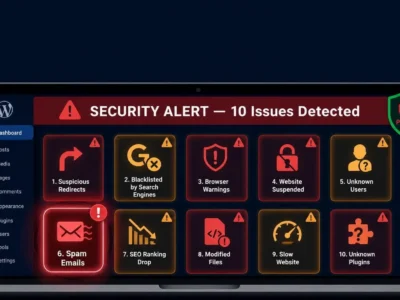
10 Warning Signs Your WordPress Site Has Been Hacked (Most Owners Miss #6)
Here’s the uncomfortable truth: the average WordPress site is infected for 197 days before the owner realises it.…